
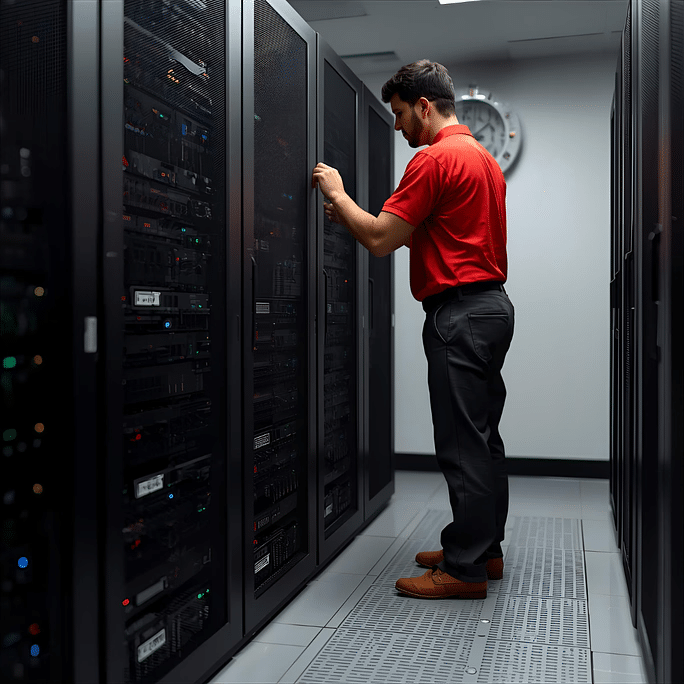
A virus-infected computer can quickly turn from a minor inconvenience into a major problem. Slow performance, frequent crashes, suspicious pop-ups, and unauthorized access to personal or business information are just a few of the issues malware can cause. Many users attempt to solve these problems themselves by downloading free antivirus software or following online tutorials. Unfortunately, these quick fixes often fail to address the root cause of the infection.
This is where a computer doctor becomes essential. Just as you would consult a medical professional for a serious health issue, a computer expert has the knowledge and tools required to diagnose, remove, and prevent digital threats. Professional virus removal not only restores your device but also protects your data, privacy, and productivity.
At Computer Medic On Call, helping users recover from malware attacks and maintain secure systems is a top priority. Whether you’re dealing with ransomware, spyware, trojans, or other malicious software, professional assistance can make all the difference.
Understanding Modern Computer Viruses
Computer viruses have evolved significantly over the years. Modern cyber threats are designed to steal data, damage systems, and disrupt operations. Unlike older viruses that mainly slowed down computers, today’s malware can lock files, monitor online activity, and even gain access to banking information.
Common types of malware include:
- Viruses
- Trojans
- Ransomware
- Spyware
- Adware
- Worms
- Keyloggers
Many of these threats operate silently in the background, making them difficult to detect without professional tools. Some infections remain hidden for weeks or months while collecting sensitive information or weakening system security.
Warning Signs Your Computer May Be Infected
If you notice any of the following symptoms, your system may be compromised:
- Slow startup times
- Frequent freezing or crashing
- Unexpected pop-up advertisements
- Browser redirects
- Unknown programs appearing
- Disabled antivirus software
- Unusual network activity
- Missing or encrypted files
Ignoring these signs can allow malware to spread further and cause greater damage. The sooner an infection is addressed, the easier it is to prevent data loss and system failure.
Why DIY Virus Removal Often Fails
Many users try to remove viruses themselves. While this approach may seem cost-effective, it often creates additional problems.
Limited Detection Capabilities
Free antivirus programs may identify basic threats but often miss advanced malware. Some infections hide deep within operating system files and require specialized tools to remove safely.
Risk of Data Loss
Deleting the wrong file during a DIY cleanup can damage the operating system or remove important documents. In some cases, users accidentally remove critical system files while attempting to eliminate malware.
Incomplete Removal
Even if the visible symptoms disappear, remnants of the malware may remain hidden. These leftovers can reinstall the infection later and continue causing problems.
Wasted Time
Hours spent troubleshooting could be better spent focusing on work, family, or other priorities. Without proper knowledge, users often spend days trying different solutions without success.
Security Gaps Remain
Removing a virus does not automatically fix the vulnerability that allowed it to enter. Without addressing security weaknesses, the computer remains at risk for future attacks.
What a Computer Doctor Does Differently
A professional computer doctor takes a comprehensive approach to virus removal and system protection.
Complete Diagnostic Assessment
The first step involves identifying:
- Type of infection
- Entry point
- Affected files
- Security vulnerabilities
This ensures the root cause is addressed rather than simply treating the symptoms.
Advanced Malware Removal Tools
Professionals use enterprise-grade software capable of detecting threats that standard consumer programs often miss. These tools can uncover hidden malware, rootkits, and advanced persistent threats.
Safe Data Protection
Before making significant changes, important files are protected and backed up whenever possible. This reduces the risk of losing valuable personal or business information during the repair process.
System Optimization
Once the infection is removed, the system is optimized for performance to restore speed and stability. Temporary files, unnecessary startup programs, and damaged settings are corrected.
Security Hardening
A professional also strengthens the computer’s defenses by updating software, configuring security settings, and ensuring protection tools are functioning correctly.
The Connection Between Virus Removal and Long-Term Security
Removing malware is only part of the process.
A professional computer doctor also focuses on preventing future infections through:
- Security updates
- Firewall configuration
- Antivirus installation
- Safe browsing recommendations
- User education
This proactive approach significantly reduces future risks.
Many infections occur because users unknowingly click malicious links, download unsafe files, or use outdated software. Professional guidance helps users recognize these threats before they become serious problems.
Long-term security also involves regular maintenance. Routine system checks can identify vulnerabilities early and prevent costly repairs later.
Why Professional Virus Removal Matters for Businesses
Businesses face greater risks than individual users because they often store sensitive customer and financial information.
A single infection can result in:
- Operational downtime
- Lost productivity
- Financial losses
- Reputation damage
- Security breaches
Professional support helps businesses minimize these risks and maintain continuity.
For organizations seeking reliable computer repair west palm beach services, professional virus removal forms a critical part of a comprehensive IT support strategy.
Even a small malware incident can disrupt daily operations. Employees may lose access to files, communication systems may fail, and customer service can suffer. Professional intervention helps restore operations quickly while protecting valuable business data.
Businesses also face compliance requirements related to data protection. Proper virus removal and security measures help reduce legal and financial risks associated with data breaches.
Common Virus Removal Mistakes Users Make
Many infections become worse because of avoidable mistakes.
Downloading Random Cleanup Tools
Some “virus removal” tools are actually malware themselves. Downloading software from untrusted sources can make the problem worse.
Ignoring Security Warnings
Users often dismiss alerts without understanding their significance. Security notifications should never be ignored.
Delaying Professional Help
Waiting too long can allow malware to spread and cause more damage. Early intervention often reduces repair costs and recovery time.
Not Updating Software
Outdated systems are among the most common attack targets. Cybercriminals frequently exploit known vulnerabilities in older software versions.
Reusing Weak Passwords
Weak or repeated passwords make it easier for attackers to gain access to accounts and systems.
Avoiding these mistakes can significantly improve overall system security.
How Virus Infections Impact System Performance
Viruses consume system resources and interfere with normal operations.
Effects may include:
- Slow processing speeds
- Increased memory usage
- Reduced battery life
- Network disruptions
- Application crashes
Many users searching for pc repair west palm beach services discover that malware is the primary cause of their performance issues.
Infections often run hidden processes that consume CPU power and memory. As a result, computers become sluggish and unresponsive. Programs may take longer to open, files may load slowly, and internet browsing can become frustrating.
Some malware also modifies system settings, causing software conflicts and unexpected errors. These issues can continue even after the visible signs of infection disappear, making professional diagnosis important.
Protecting Your Computer After Virus Removal
Once your system has been cleaned, maintaining security becomes essential.
Best Practices Include:
- Install trusted antivirus software
- Enable automatic updates
- Use strong passwords
- Avoid suspicious email attachments
- Back up important files regularly
- Monitor account activity
Consistent maintenance helps prevent future infections.
Additional Security Tips
To further improve protection:
- Use multi-factor authentication whenever possible
- Avoid public Wi-Fi without a secure connection
- Download software only from trusted sources
- Regularly review installed applications
- Remove unused programs
These simple habits can dramatically reduce the likelihood of future malware attacks.
Benefits of Working With a Computer Doctor
Professional support offers advantages that go beyond virus removal.
Faster Problem Resolution
Experienced technicians can quickly identify and resolve issues that might take users hours or days to troubleshoot.
Reduced Risk
Professional repairs minimize the chances of accidental data loss or system damage.
Better Performance
A properly cleaned and optimized computer often performs significantly better than before the infection occurred.
Peace of Mind
Knowing that your system has been thoroughly inspected and secured provides confidence that your information is protected.
These benefits make professional assistance a worthwhile investment for both home users and businesses.
Why Choose Computer Medic On Call
When dealing with malware, experience matters.
Computer Medic On Call provides professional diagnostics, virus removal, and system protection services designed to keep computers secure and reliable.
Benefits include:
- Fast response times
- Expert troubleshooting
- Thorough malware removal
- Performance optimization
- Ongoing support
Whether you need help with a home computer or a business system, professional assistance ensures the problem is handled correctly the first time.
For users seeking dependable computer repair palm beach solutions, working with experienced professionals can help avoid recurring issues and improve long-term security.
The goal is not only to remove existing threats but also to create a safer and more reliable computing environment moving forward.
Conclusion
Computer viruses are more sophisticated than ever, making professional assistance increasingly important. While DIY solutions may seem convenient, they often fail to provide complete protection.
A qualified computer doctor can identify threats, remove infections safely, and strengthen your system against future attacks. By taking a proactive approach to security, users can protect their data, maintain performance, and enjoy greater peace of mind.
When system safety matters, trusting experienced professionals like Computer Medic On Call is one of the smartest decisions you can make.
FAQs
A computer doctor diagnoses, repairs, and protects computers from viruses, malware, and performance issues.
Common signs include slow performance, pop-ups, browser redirects, crashes, and unusual activity.
Minor infections may be removable, but advanced malware often requires professional tools and expertise.
The timeframe depends on the severity of the infection, but many cases can be resolved within a few hours.
Yes. Some malware is specifically designed to capture passwords, financial information, and sensitive data.
Regular updates, antivirus protection, safe browsing habits, and professional maintenance greatly reduce the risk.

